

Dashboard Overview
After logging in and selecting your organisation, you will be taken to the Dashboard home page.
The Dashboard provides an overview of all devices within your organisation.
Home Page
The Home page displays the last known location of all devices on a map.
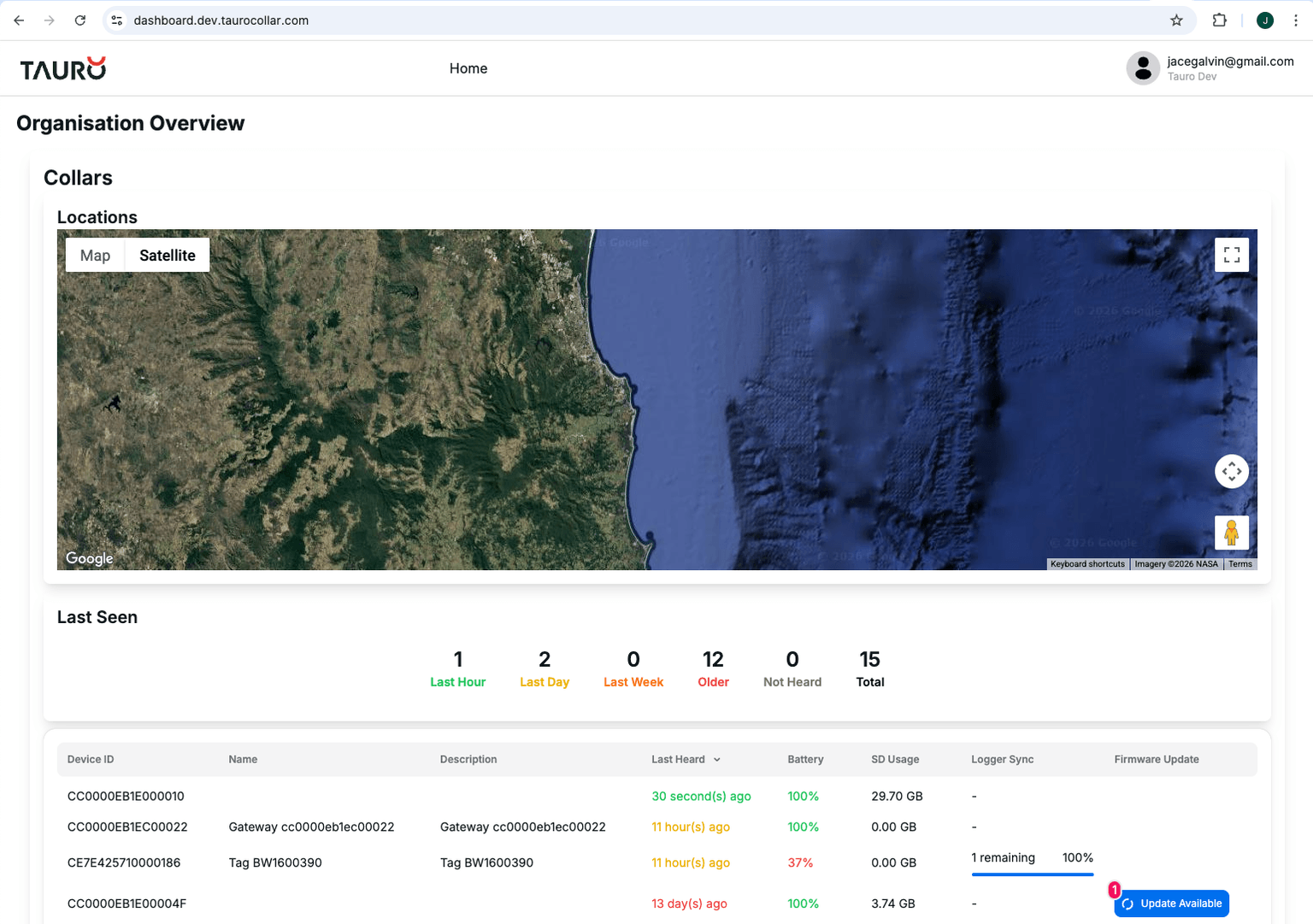
Below the map is a table summarising device status.
Device Table
| Field | Description |
|---|---|
| Device ID | Unique identifier of the device |
| Name | User-defined device name |
| Description | Device description (if configured) |
| Last Heard | Last time the device has sent data (either directly or via gateway) |
| Battery | Current battery level |
| SD Usage | Current SD card usage (Collars only) |
| Logger Sync | If logger download is enabled - this will show the status of the sync |
The Last Heard column can be used to confirm whether a device is actively reporting.
Device Page
Clicking on a device in the table will open the device-specific page.
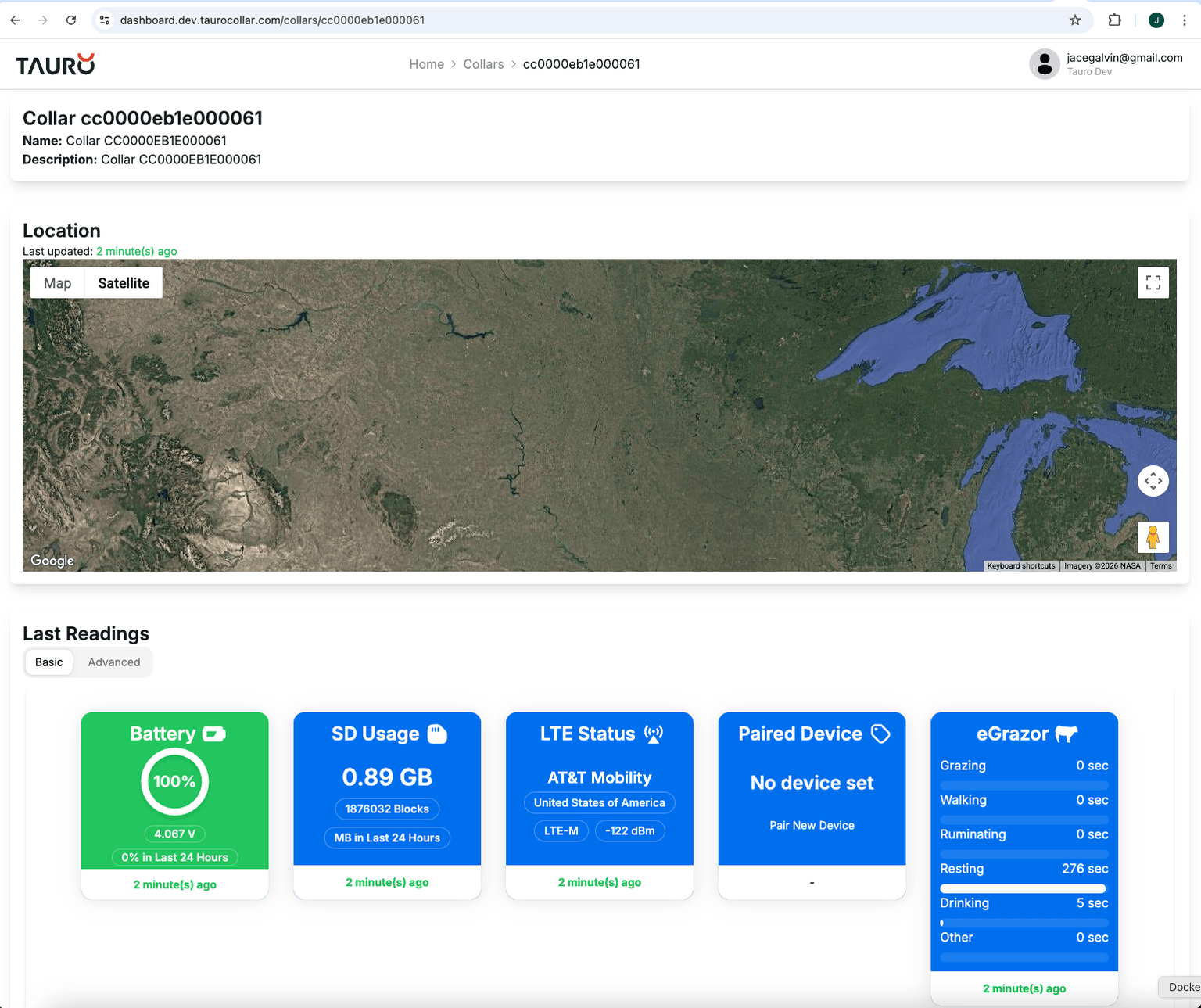
Last Known Location
Displays the most recent GPS location reported by the device.
If the device has not reported recently, the location may not reflect its current position.
Current Status Summary
A summary panel displays the latest telemetry values received from the device.
| Field | Description |
|---|---|
| Last Heard | Timestamp of the most recent packet received |
| Battery | Most recently reported battery level |
| SD Usage | Current SD card storage utilisation |
| LTE Information | Cellular signal strength and connection status |
| eGrazor Output | Most recent activity classification result |
These values are updated whenever a new packet is received by the platform.
Recent Packets
The Recent Packets section displays the most recently received telemetry packets from the device.
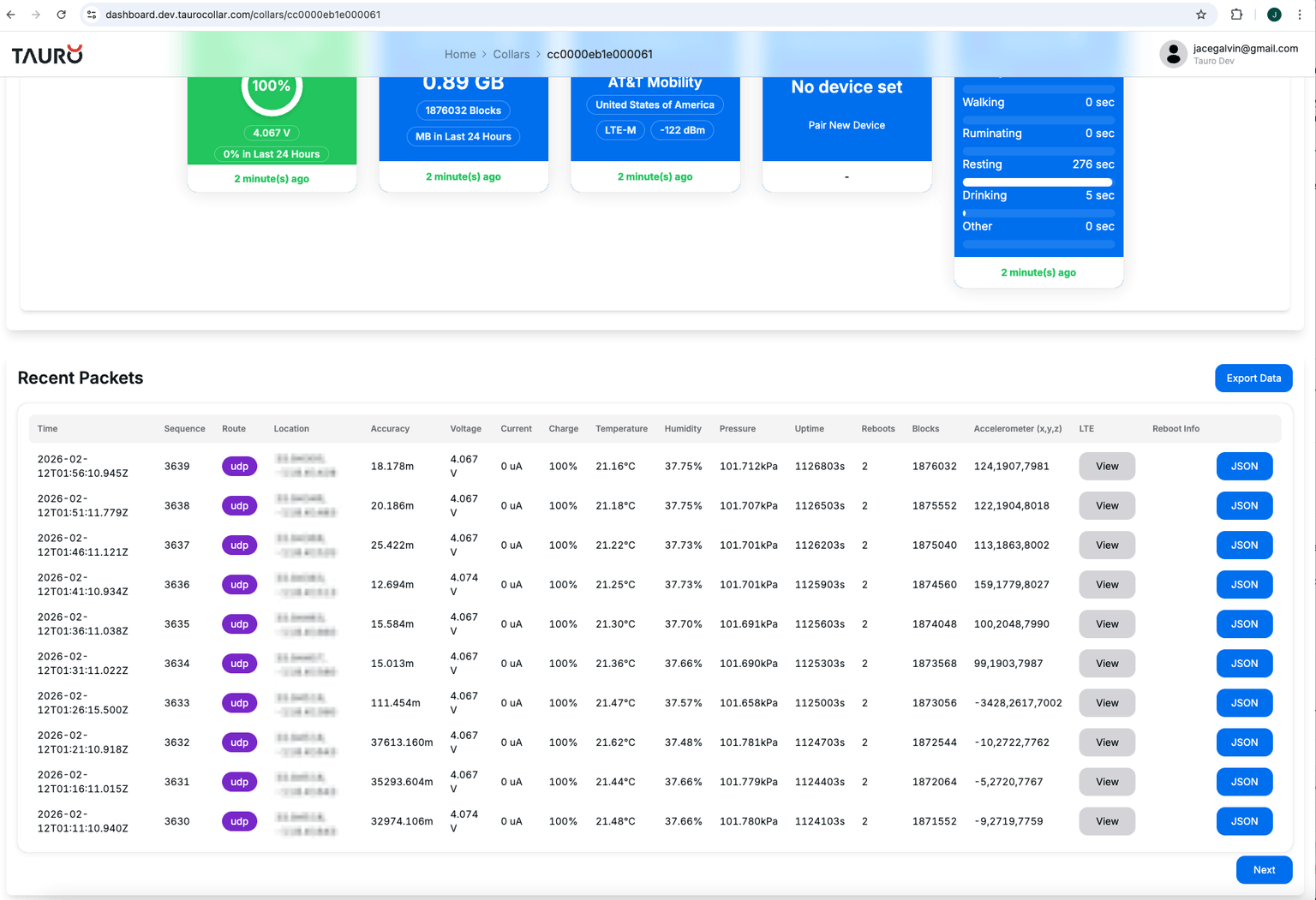
Each row represents a single packet received from the device.
| Field | Description |
|---|---|
| Time | Timestamp when the packet was received |
| Sequence | Packet sequence number |
| Route | Indicates how the packet was received |
| Location | Latitude and longitude reported |
| Accuracy | GNSS horizontal accuracy estimate |
| Voltage | Battery voltage |
| Current | Measured current draw |
| Charge | Estimated battery state of charge |
| Temperature | Ambient temperature |
| Humidity | Ambient humidity |
| Pressure | Ambient pressure |
| Uptime | Device uptime in seconds |
| Reboots | Number of device reboots |
| Blocks | Total logged data blocks |
| Accelerometer (x,y,z) | Latest accelerometer values |
| LTE | Opens LTE diagnostic information |
| Reboot Info | Additional reboot details |
| JSON | Displays the raw packet data |
The Route field indicates whether the packet was received directly over LTE or via a gateway device.