

Dashboard
API Keys
Creating and managing API keys for Tauro Cloud access.
API keys allow authenticated access to the Tauro Cloud API.
Keys are scoped to the currently logged-in Dashboard user and inherit that user’s permissions.
Creating an API Key
To create an API key:
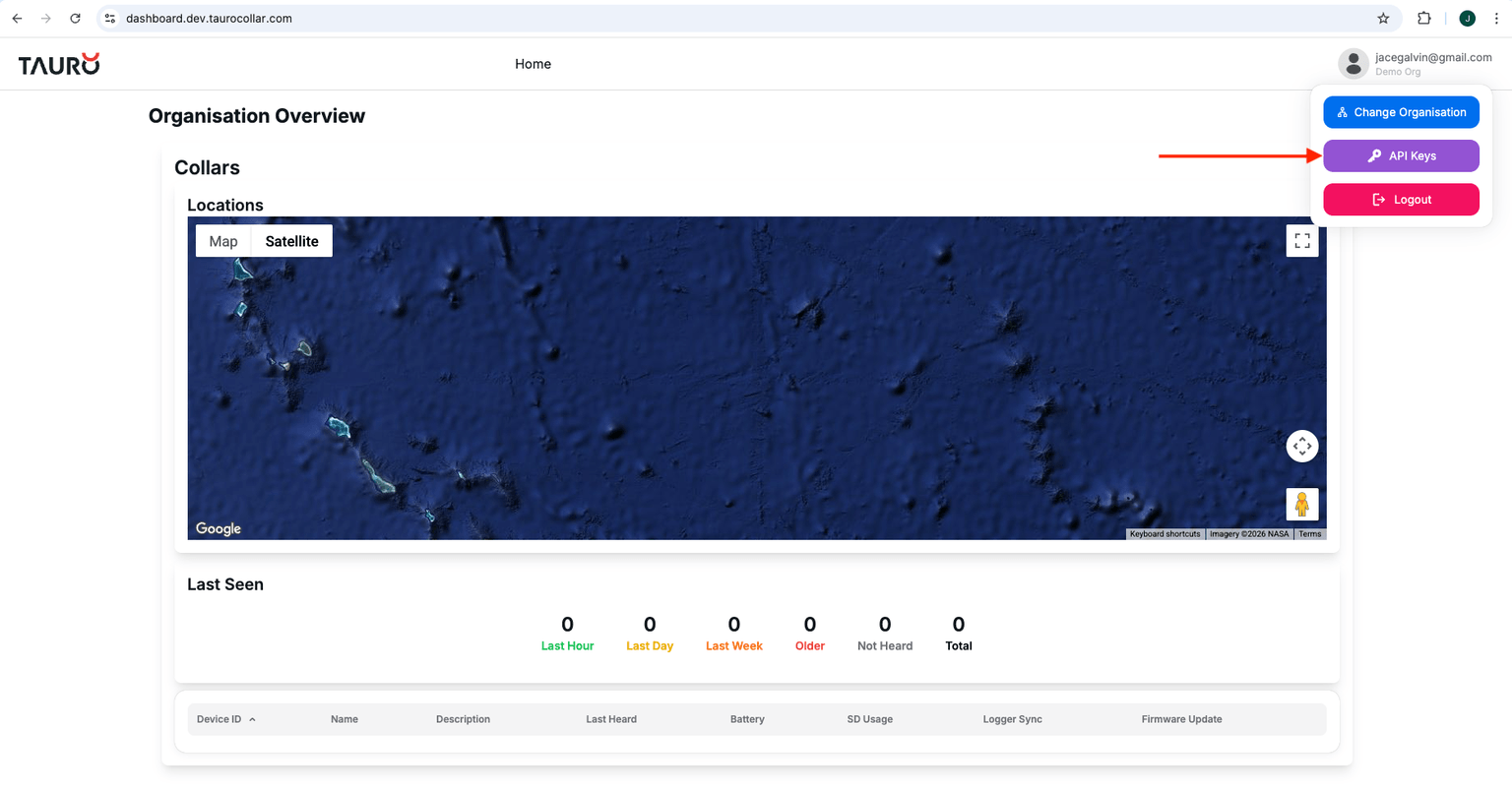
- Click your user profile (top-right corner of the Dashboard).
- Select API Keys.
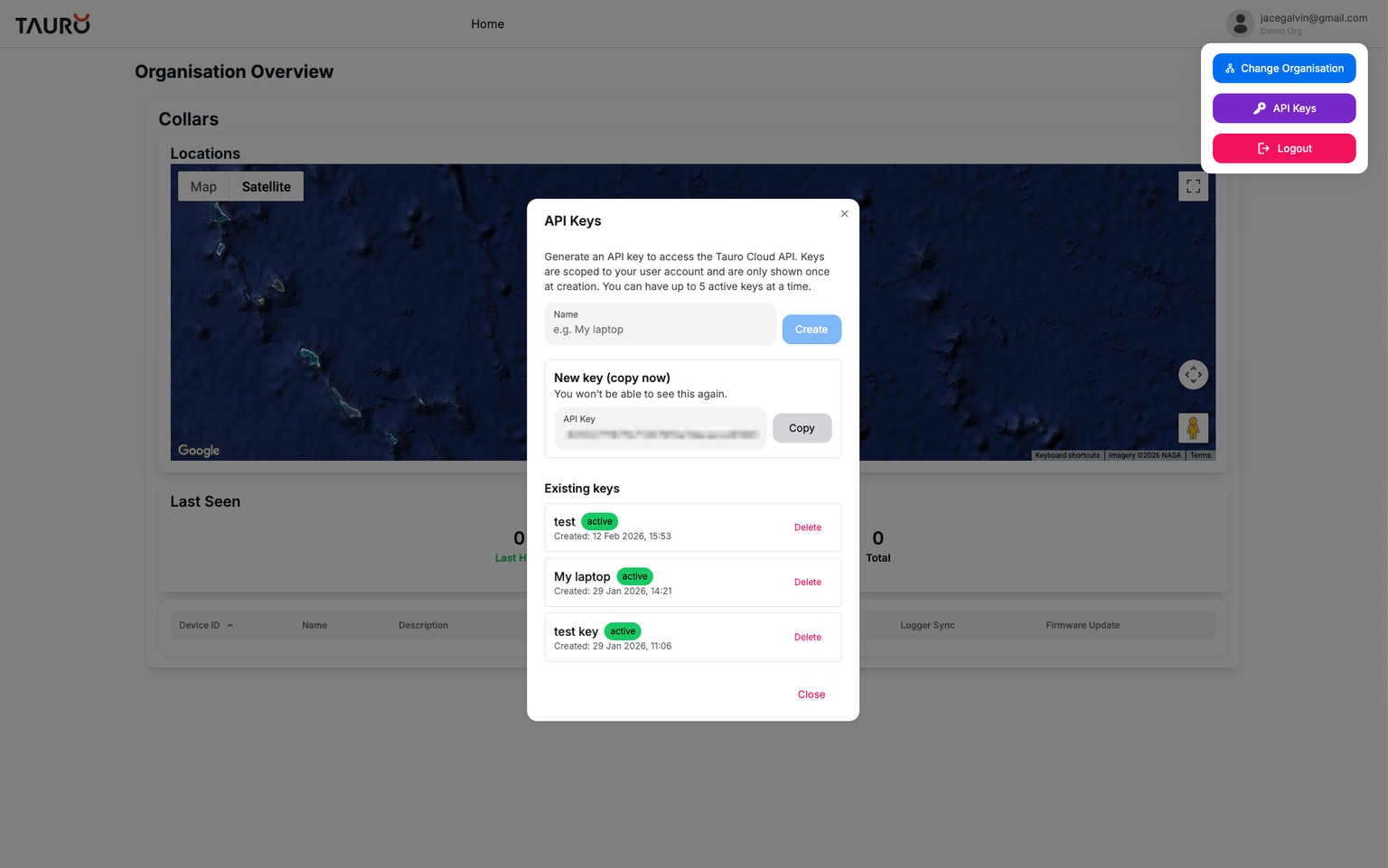
- Enter a name for the key (e.g. My Laptop).
- Click Create.
Important
⚠️ The API key is shown once only. Save it securely.
- Keys are scoped to your user account.
- Keys inherit your organisation permissions.
- You may have up to 5 active keys at a time.
- If you lose a key, you must delete an existing key before creating a new one.
Using an API Key
All API requests must include your key in the request header: