
API
Logger Export (API)
Exporting raw logger data via the Tauro Cloud API.
Logger data can be exported programmatically via the Tauro Cloud API.
Endpoint
GET /cerestags/{idType}/{id}/logger/export
Interactive documentation:
https://api.dev.taurocollar.com/docs#tag/cerestag/GET/cerestags/{idType}/{id}/logger/export
Tag Identifier
The endpoint requires two path parameters:
idTypeid
Supported identifier types:
vidinfuseIdesnbluetoothMacAddress
Example:
/cerestags/vid/123456/logger/export
Making the Request
All requests must include your API key in the header: X-API-Key
Option 1 – Using curl
curl -X GET \
  "https://api.dev.taurocollar.com/v1/cerestags/{idType}/{id}/logger/export" \
  -H "X-API-Key: <your-api-key>" \
  --output logger.bin
Option 2 – Using the Documentation Interface
Navigate to https://api.dev.taurocollar.com/docs#tag/cerestag/GET/cerestags/{idType}/{id}/logger/export
- Set the identifier type and value.
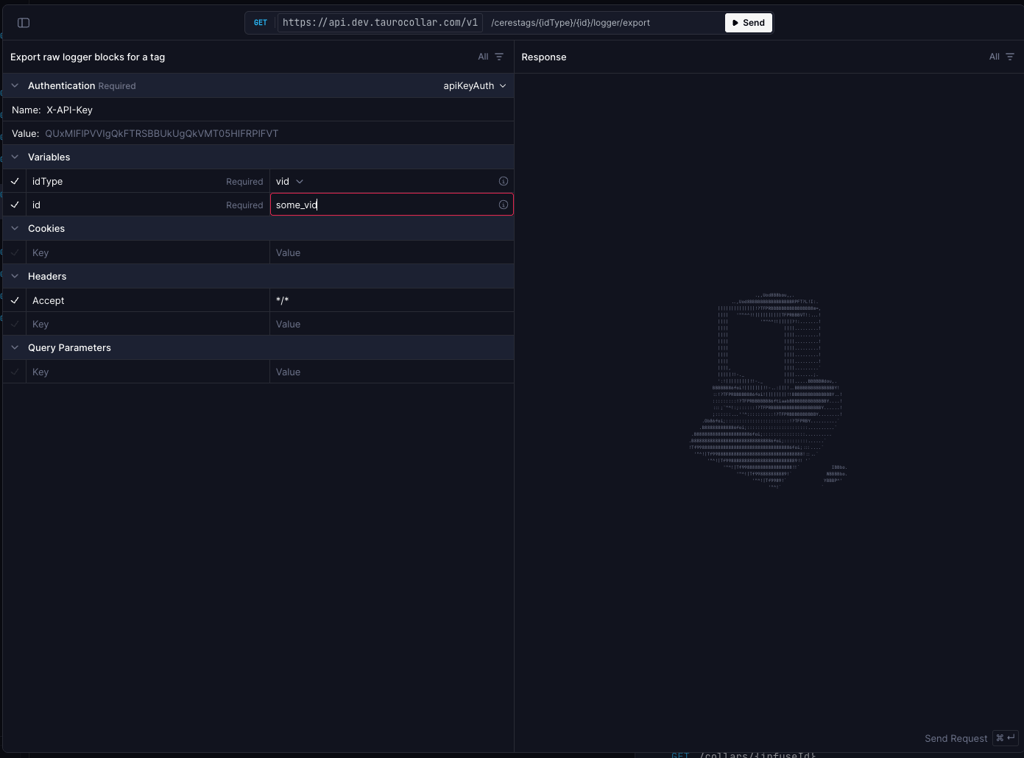
- Include your API key in the
X-API-Keyheader. - Send the request.
- Click Download in the response panel.
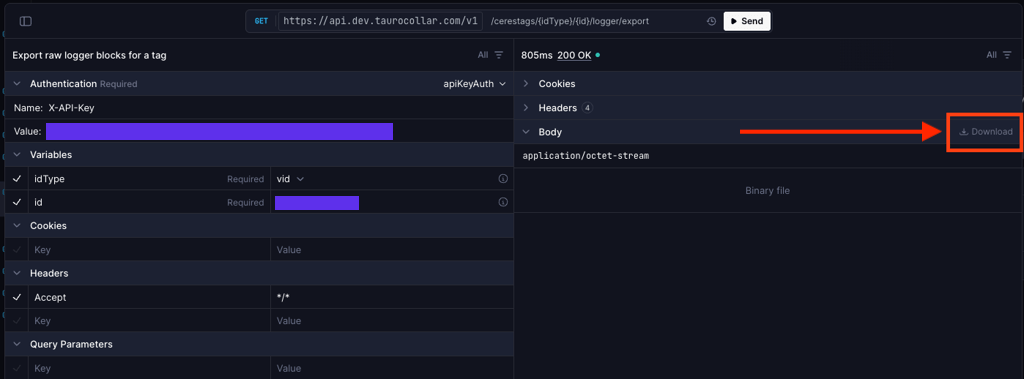
The response content type is:
application/octet-stream
The downloaded file is a raw .bin file identical to the file exported via the Dashboard.